Why Promote Your HPDE.tv Channel Over a Raw YouTube Link: The Best of Both Worlds
Every stint played on your HPDE.tv channel uses the official YouTube IFrame Embed API, meaning 100% of views, watch hours, and AdSense revenue go directly to your YouTube channel while giving you a curated racing hub, a permanent CH # dial position, and side-by-side MultiView.
Home Circuit: Sebring International Raceway / Homestead-Miami Speedway · Chassis: All Run Groups, Supercars & Spec Racers
Sharing a Raw YouTube Link vs. Promoting Your HPDE.tv Channel
| Feature & Metric | Sharing a Raw YouTube Link | Promoting Your HPDE.tv Channel (CH # + hpde.link/{ch}) |
|---|---|---|
| YouTube View & Watch-Hour Credit | 100% Counted on YouTube | 100% Counted on YouTube (Official YouTube IFrame Embed API) |
| YouTube Ad Revenue & Monetization | 100% Retained by Creator | 100% Retained by Creator (Zero Ripping or Ad Stripping) |
| Personal / Non-Track Upload Noise | Mixed in with personal uploads, shorts, or non-track clips | 100% Filtered via Creator Vault Primer (Check/Uncheck only your track stints) |
| Paddock Call-Sign & Window QR | Long generic @handle URL | Memorable Cable TV Dial Number (CH 101-CH 1967) + Scannable hpde.link QR |
| Side-by-Side Reference Lap Study | Single-video playback only | Built-in 2-Up & Quad MultiView + Undockable OS Desktop Popout Player |
| Motorsport Metadata & Discovery | Buried in general YouTube search | Indexed by Circuit, Chassis, Sanctioning Body (CHIN, PCA, NASA, SCCA, HOD, Gridlife) & Telemetry HUD |
| Editorial & Build Exposure | None | Eligible for Featured Creator Build & Lap Spotlights on hpde.tv/drive |
The YouTube Creator Dilemma: Algorithmic Noise vs. Paddock Authenticity
If you drive track days, time trials, or club racing, you already know the frustration of sharing raw YouTube links. When you post a link to your in-car stint on Facebook groups, Instagram bios, or paddock message boards, your viewers are immediately surrounded by general algorithmic distractions: gaming streams, unrelated vlog drama, and clickbait shorts. Even worse, if you use your personal YouTube account for other passions or family videos, your pristine track sessions get buried under non-motorsport noise.
Yet YouTube remains the undisputed backbone of video hosting. It provides rock-solid 4K 60fps streaming, reliable mobile apps, and direct creator monetization. Walking away from YouTube to host videos on an isolated silo is financial and discoverability suicide for any grassroots driver.
HPDE.tv solves this exact contradiction by giving creators the best of both worlds. You do not replace YouTube. You supercharge it by giving your audience a dedicated, motorsport-first broadcast channel.
HPDE.tv never hosts, copies, rips, or modifies your video files. Every second of playback runs through the official YouTube IFrame Embed API. Your watch hours rise on YouTube Analytics, your AdSense earnings go straight to your AdSense dashboard, and your subscriber count ticks upward through direct YouTube channel links on every player.
Official YouTube IFrame Embed API Compliance: Zero Compromises on Monetization
The foundational architecture of HPDE.tv is built strictly on the official YouTube IFrame Player API. We enforce videoEmbeddable=true and videoSyndicated=true on every single stint in our database. When an HPDE enthusiast or competitor watches your 25-minute open-passing session at Sebring through HPDE.tv, YouTube registers that viewer as an authentic embedded play.
If your channel is in the YouTube Partner Program, your monetization remains 100% active. Any pre-roll, mid-roll, or banner ads served by Google run directly within the official player frame according to your YouTube monetization preferences. HPDE.tv never strips ads, never blocks monetization, and never inserts third-party commercial breaks over creator footage.
For drivers working toward the 4,000 public watch-hour threshold for Partner Program eligibility, embedded views on HPDE.tv contribute directly toward your qualification requirements under Google policy.
The Paddock Call-Sign: Why Cable Dial CH Numbers Beat Long URLs
Try telling a fellow driver in the grid lane: "Check out my lap on youtube dot com slash at-sign john dash doe underscore racing 942." By the time the worker waves the green flag, that URL is forgotten. It is impossible to print cleanly on a rear quarter-window decal or driver passport card.
HPDE.tv assigns every creator an immutable, permanent dial position from CH 101 to CH 1967. Now your call-sign in the paddock is punchy and memorable: "Catch our stints on CH 101" or "hpde.link/101". You can slap a 3-inch bumper decal on your rear bumper with your CH number and a QR code, giving spectators, corner marshals, and paddock neighbors instant access to your racing dossier.
Best of all, your dial position is permanent. Even as you change cars, upgrade from HPDE Novice to Time Trial, or switch sanctioning bodies from Chin Track Days to NASA, your channel number stays locked.
Every claimed channel on HPDE.tv receives ready-to-print vector cut files for high-contrast window livery decals featuring your CH dial number and custom shortlink.
Side-by-Side Lap Forensics with Built-In MultiView
On YouTube, comparing two drivers requires opening multiple browser tabs, guessing start offsets, and frantically clicking play and pause to align brake markers. It is clunky and almost impossible on mobile devices.
HPDE.tv features native 2-Up and Quad MultiView theatres built directly into the platform. A driver studying your line into Turn 17 at Sebring or the Climbing Esses at VIR can lock your cockpit stint side by side with a track instructor or Spec Miata champion like Danny Steyn (CH 115) or time attack record holder Jackie Ding (CH 103).
With independent scrubbing, unified pause controls, and undockable OS desktop popout windows, your onboard footage transforms from passive entertainment into a vital driver coaching tool.
The Creator Vault Primer: Total Control Over Your Track Catalog
When you claim your channel on HPDE.tv, you gain access to the Creator Vault Primer. This tool allows you to check or uncheck which uploads from your YouTube channel appear on your HPDE.tv broadcast schedule. You can filter out family road trips, lawnmower repairs, or casual mobile shorts with a single click, ensuring only your purest cockpit sessions, sector breakdowns, and shakedown logs appear on your racing dial.
You also select your permanent Lead Stint, giving you an interactive hero player that greets every paddock visitor who tunes into your channel.
Promoting your HPDE.tv link gives you the prestige of a bespoke motorsport broadcast network while routing every view, subscriber, and dollar straight home to your YouTube account. It is the definitive playbook for modern grassroots racing creators.
Frequently Asked Technical & Licensing Questions
Q:Do views on HPDE.tv count toward my YouTube channel analytics and watch hours?
Yes. 100% of playback on HPDE.tv uses the official YouTube IFrame Embed API. Every embedded play is registered directly by YouTube Analytics, contributing toward your total view count, audience retention graphs, and monetized public watch hours.
Q:Can I still earn AdSense revenue from my videos when played on HPDE.tv?
Yes. HPDE.tv never strips, modifies, or intercepts YouTube ads. All AdSense monetization rules configured on your YouTube Studio account apply seamlessly inside the embedded broadcast theatre.
Q:What if I upload personal family videos or non-track vlogs to my YouTube channel?
Your HPDE.tv dial position is filtered. When you claim your channel, you use the Creator Vault Primer to designate exactly which videos are track sessions. Personal uploads, shorts, and unrelated videos remain excluded from your HPDE.tv broadcast guide.
Q:How much does it cost to claim my channel and get a permanent CH number?
Channel claiming and permanent CH dial number allocation are completely free for all grassroots drivers, track day organizers, and race shops.
Want Your Build & Laps Featured on /drive?
HPDE.tv editorial spotlights are 100% free for amateur drivers, sanctioning bodies, and independent race prep shops. Claim your permanent dial number (CH 101-CH 1967) and submit your 5-point build dossier to get indexed in our next dispatch.
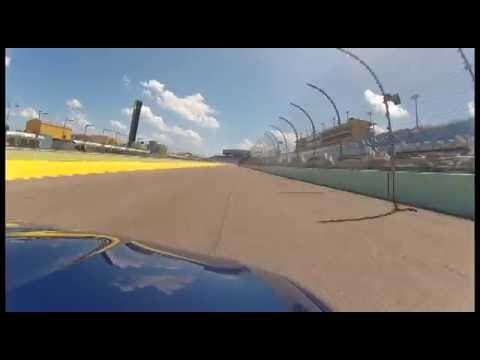
Creator Spotlights on /drive: How to Get Your Track Build, Home Circuit & PB Lap Featured
Any verified grassroots driver or channel owner from CH 101 to CH 1967 can claim their channel in seconds and submit their track car build, sector telemetry, and personal best stint to /drive.
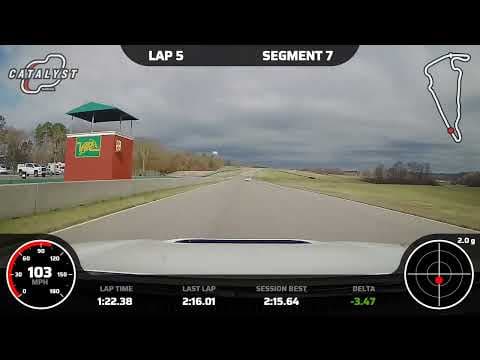
Garmin Catalyst vs. AiM Solo 2 DL vs. Cosworth PDR: Which Telemetry HUD Builds the Best Onboard Channel?
An exhaustive paddock teardown of real-time audio coaching, CAN-bus SmartyCam telemetry overlays, and factory high-definition PDR video logs for amateur track drivers.

Friday Night Film Study: Using 2-Up MultiView to Benchmark Braking Markers Before Session 1
How amateur drivers use HPDE.tv side-by-side synchronized video playback to compare their cockpit turn-in points and throttle pick-up against track champions before rolling onto the grid.